Monday, February 4, 2019

week 3

for this week I choose Will Dawson art , he's art is verry   interesting and make him special he does not use brushes like other artist . he uses Corel draw, a vector drawing program, and work on a PC. his drawing is more dimensional , geometric lines and shape. I love that he uses flowers .


Sunday, February 3, 2019

WK 3 Pixlr Image

Hi,

I was having a challenging time with GIMP, therefor I tried Pxlr and the instructions we're way better and easy to follow.  I selected a garden and distorted it according to your instructions.

Here is the original picture:
Here is the distorted picture.  I do like the way it came out.  It almost looks like there is a brick stair case going into the secret garden.


WK3 Short piece from MOCA

This week I selected Aleksandar StoJanovic his hobby is creating digital art.  He is also a drummer.  There wasn't too much listed about this artist.  But it appears he likes to work with warm tones. 

I like the brownish hue of this particular digital art.  He has quite a few that have this brownish tint.  Since he is a musicians this reminds me of a turn table.
Image Preview Zoom

Here is another one I enjoy with the warm brown hues. This looks like a type of drum from another country.


I think he got a bit creative with color which is a bit daring.  This looks like the mirrored assignment we did for class. 

Helga Schmitt


Helga Schmitt was born 1936 in Augsburg, Germany. She used to sell books in Frankfurt and Munich lives in Pullach since 1971. As late as in 1998 the artist taught herself the technical know how and started the making of digital art, encouraged by her good relationship to contemporary literature and fine art throughout her life. These paintings are very different than what I have seen and I enjoy the digital art she portrays.

Week 3 Pxlr Project


I tried using a different filter for these images and I played around with the color and brightness. I did have trouble merging images together. I would be able to rotate and flatten the image but nothing seemed to change. I'll try and work on that a little more but I did have a good time playing with different selections.

Sunday, January 27, 2019

WK2 Mirrored face and liquify

I have decided to dabble with mirrored face.  I picked one of my faves Jason Mamoa.  His two faces look so different. 

This is the original picture

This is the right side of his face. (below)


This is the Left side of his face,below.  I used liquify with eyes and eye brows.

WK2 Short Piece from MOCA

I selected Helga Schmitt Pullach who is from Germany.  Pullach taught herself the technical part of digital art and was encouraged by the contemporary literature she is familiar with.  Her father in law was the late Prof. Otto Michael Schmitt whose life work was fine art.  It is no surprise he was an influence to her art.  Her unique style is interesting she incorporates landscapes, architecture and contrast in colors.  She works with different variations that influence her new pieces.  She created a few weird pieces that she states are not wired but come from dream lands.  Her imagination is inventive.  I selected three pictures and in the three they have faces places somewhere in the image that is sort of weird but nice.


Art by John Michael Kearney
For this week I  John Micheal Kaerny  his art is very appealing and simple he uses strong  color to enhance his ideas . I love the painting structure its like they are dimensional to each other. He uses a broad brushes to created this beautiful pieces .


using the website


before 


lagorytim affect 


This artist is Bernd Dreilich and I found these pictures to be very different than others. The artist calls these surreal arts and was inspired by Werner Hornung. Bernd often used nakedness in their pictures, but it was not meant for sexual expression. It was more of a metaphor showing vulnerability of the soul and human emotions. 


I chose the mirror and liquefy project. I found this to be very interesting and enjoyable. It is a little difficult to navigate at first, but once you create one you end up getting the hang of it. I know I will be doing more of these pictures on my own. I try to navigate through photo shop daily to learn new ideas.

Due by 9am Monday morning

6-10 pieces as outlined in the syllabus... videos are linked there to follow.... You can do this using GIMP as well...


Week 2

Choose One Project from the following 3:

-Create Oil Painting effect with an action... Powerful one click changes (note, only do this if the oil painting filter is on your version of Photoshop. To find out, click Filter>stylize>oil painting... if it is absent or grayed out, then skip this.


-Create an "Andy Warhol" silk screen image...


-Create a mirrored face and liquefy it.... Filter>liquefy


Visit the Museum of Computer Art Write a short piece about an artist you found interesting at MOCA and post it to the blog. How did the artist create this work? What software was used? Include an image from that artist's portfolio. Do that by right clicking on the image and choose "save image as". A paragraph or two would be enough. What is the work about? How did they do it?


Grade:

A: Successfully created 6-10 interesting designs from from one of the above possibilities. Comments posted on blog in response to others work. You have taken the outline of the process and moved it in your own direction. MOCA review posted to blog.

B: One element of this week's requirements missing. or All elements there but showed little in the way of inventiveness..

C: Two elements are missing... i.e., no blog posts, No blog posts, no comments for participation component.

F: No work found for the week.

Tuesday, January 22, 2019

hand colored al logoritym


I choose me and my  boyfriend new year photo I used gray scale to change the original photo 


Monday, January 21, 2019

Week 1 MOCA Claudia Alves

This is a picture created by Claudia Alves which I felt all were very unique and interesting. Claudia uses "computer painting" which uses colors, brushes and wrist spatulas or freehand, as tools to make paintings. The original painting is printed by using print skill canvas, Tergo print , hand crafted ultra light and other printers. I very much enjoy her pictures as you they can be interpreted in many different ways.

Daniel Ferreira Bio

Hello my name is Daniel Ferreira I am a senior working towards my bachelor degree in Business Management. I play soccer when I am not at school or working and I currently work at a hedge fund under Building Management

Sunday, January 20, 2019

Wk1 Hand Colored AI Algorithm

Hi,
I selected a photo of my husband and I.  I used the grayscale on GIMP to turn it into black and white.  I then uploaded the photo through the website and it added color to it.  It doesn't look like the original but close to it.  It looks a bit old fashioned now.
I will give you all variations, so you can see the way it transformed.
This is the original picture.

This is the grayscale I added through GIMP, to make it black and white.  This picture I submitted through the Algorithm website. 

This is what the Algorithm website produced.  It added color to it, making it a bit different than the original but still very nice.  I like that it looks weathered.


Wk1 Google Images

In the syllabus it says go to Google images and find a picture and play with filters.  I found two images.  I selected a Fiji beach scene and a cemetery scene.  I was thinking bright dark, dark bright, instead Fiji turned into a color sky with one of the filters.  The cemetery I played with contract, bright filter and tilted the photo a bit.  This was the first time I played around with GIMP. 


Hand Colored AI Algorithm

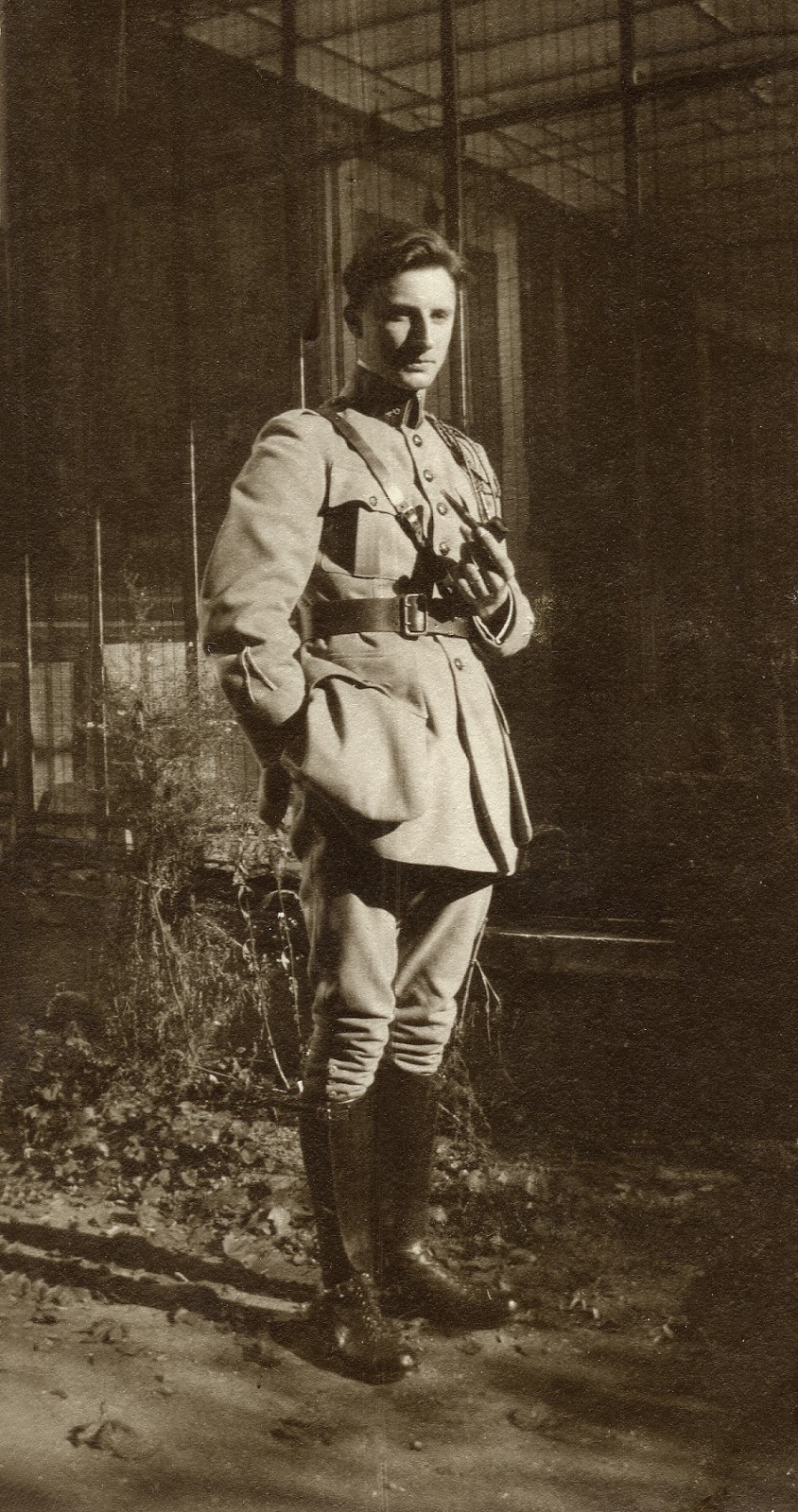
Here is a scan of my Grandfather in his French Foreign Legion uniform a year before he died of Pneumonia at the age of 27, around 1927.  Antibiotics had not yet been invented.  My mother and her twin sister were 3 yrs old.


This website will apply an artificial intelligence algorithm to "hand color" or "colorize it.


Here is what the algo did with it...


Not great, but interesting nevertheless...  As one of your projects, try this yourself.  Take one of your pictures and in photoshop, make it grayscale by choosing Image>Mode>grayscale, save it as a .jpg and upload it to the site... then click download when there after a few seconds.....

You may click on an image here to expand it to full screen then either hit "esc" (escape key) or the "x" in the upper right side to return to the normal view.


Peter Mac Lane

I was in the Moca and I found Peter Mac lane I choose him for so many reason. he's work is really vibrant  and enjoyable to see . it remind me of the French building . He uses cold color and warm color to describe the setting of the drawing .The work also have a secondary function in helping people navigate the art work.bright color make the art more interesting and enjoyable .